A buyer asks ChatGPT to compare three software products for their team. Yours is one of them. They want to know what each would cost for 25 users, whether it connects to their CRM and which plan includes single sign-on.
You could answer all three in a minute on a sales call. But the buyer hasn’t spoken to you. They’ve asked an AI tool to do the research, and it’s working from whatever it can find.
If your website tells it the cost for that team size, how the CRM connection works and which plan has SSO, it has the right facts to work with. If it can’t find them, or picks up an old price from a directory listing, the buyer forms a view of your product before you know they exist. Some will rule you out on that basis.
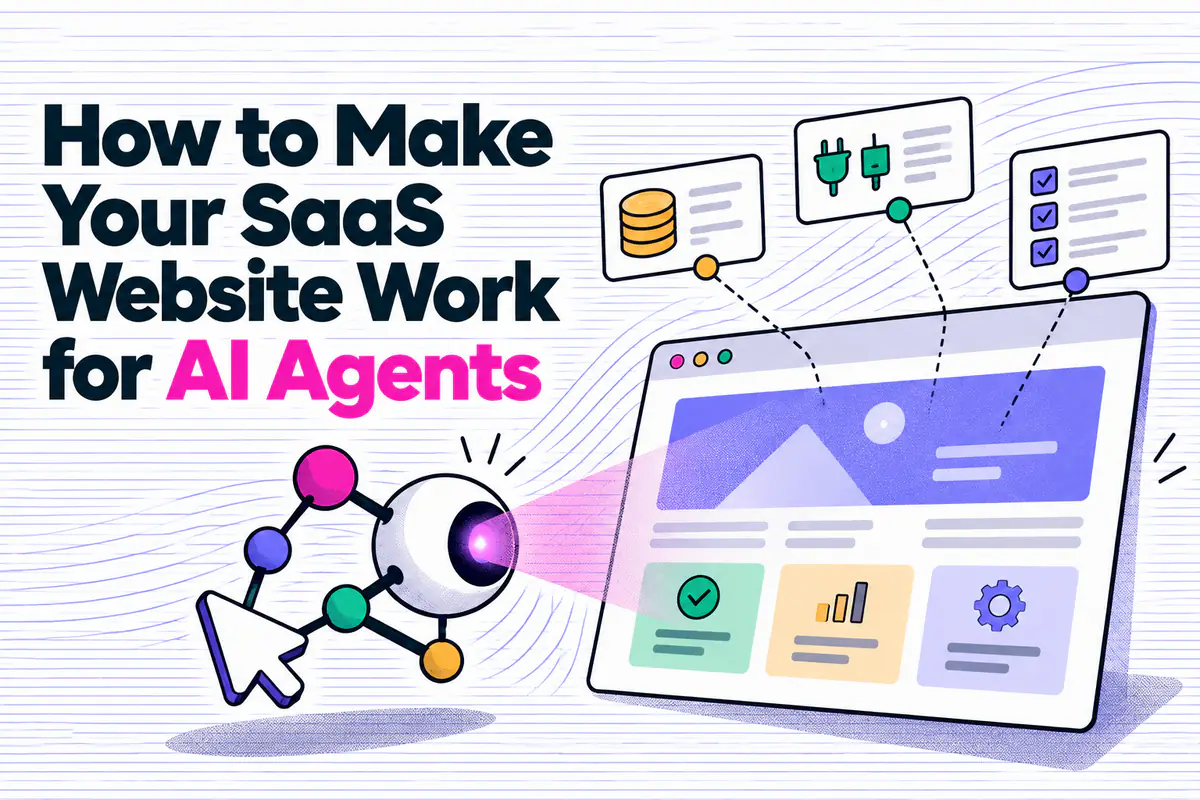
So your website has two readers. One is the person weighing up the purchase, who wants to see the product working and trust the company behind it. The other is the agent they’ve sent to investigate, which needs facts it can extract and cite.
How AI tools research your product
In G2’s 2026 Buyer Behavior Report, a survey of more than 1,000 software buyers, 61% said they either use AI agents in the buying process now or plan to.
Buyers haven’t handed over the decision. Forrester’s State of Business Buying 2026 found 94% of nearly 18,000 business buyers used AI during their buying process, and that they check its answers with peers and experts they trust.
Not every AI visit to your site comes from a buyer. OpenAI’s documentation, for example, separates its training crawler, its search crawler and the visits made when someone asks ChatGPT a question and it fetches a page to answer. That last group can include buyers researching software. Some of those visits are a simple page fetch. Others come from browser agents such as ChatGPT’s agent mode, Perplexity’s Comet or Claude in Chrome, which load the page, click through and sometimes complete tasks.
This overlaps with answer engine optimisation (AEO), which is about appearing in AI answers in the first place. The focus here is narrower: making sure a tool that’s already researching your product comes away with the right facts.
Start by running your buyer’s research task
Before changing anything, find out what an AI tool says about you now. Take a question from a recent sales conversation and give it to a tool with web research turned on. For example:
We’re comparing [your product] with two alternatives for a team of 25. We need an integration with [CRM] and single sign-on. Compare suitable plans, costs and setup requirements using current vendor information alongside relevant independent sources. Link to your sources and flag anything that conflicts or that you couldn’t confirm.
Then check the answer against what you sell:
- Did it use your site, or rely on other sources?
- Are the prices, billing terms and plan restrictions correct?
- Did it tell a native integration apart from one that needs another service?
- Do the offsite sources it found agree with your current information?
- What did it leave unanswered, and where should that answer have been?
Run the same task in a second tool and save both results with the date. Answers vary between runs, so look for errors that keep coming back. When something’s wrong, work out whether the cause is missing information, contradictory pages, an access failure or the tool getting it wrong on its own. Missing and contradictory information, including offsite listings, needs a content fix, while access and retrieval failures are technical. Save the prompt so you can rerun it once the changes are live.
This tests how accurately a tool researches a product it’s been told about. To test discovery, run a separate query that describes the buyer’s requirements without naming you, and see which products it suggests. Keep the two sets of results apart. Being described accurately and making the shortlist in the first place are different things to measure, and they need different fixes.
Give it enough to answer the buyer
Your test results show where the answers go wrong. To decide which pages to fix first, look at the questions that come up in every demo or sales call, especially the ones that decide whether a deal moves forward. For the buyer in our example, it’s pricing, the CRM integration and single sign-on. Your buyers may care more about data migration or usage limits.
A product video can show how your software works in a way a feature list never will. Keep it, and put the key capabilities and limitations in text on the same page, so a research tool can tell whether you meet a requirement without watching the demo.
Make pricing possible to work out
If you can publish your pricing, do. An agent comparing three products can then include you on accurate terms, instead of guessing or quoting a review site. Show the conditions next to the prices. A per-user price needs its billing basis, any minimum seat count and the features it includes. If usage affects the bill, explain how. Mandatory setup fees belong where someone comparing plans will see them.
A monthly figure that’s only available on an annual contract needs to say so. Otherwise the agent reports the right number with the wrong commitment attached.
Some pricing is custom and won’t fit a table. In that case, explain what drives the quote: user numbers, transaction volume, modules, implementation work. Describe the plans and what a buyer needs to tell you to get a price. A research agent may stop before contacting sales, but it can still report that pricing is quote-based and what it depends on, instead of hitting a dead end.
When an agent can’t get answers from your site, it may consult other sources, leave the question unanswered or make a mistake. In Siteline’s benchmark of 100 B2B software products, runs where a Claude agent hit access errors took 58% of their content from third-party sources, against 12% when it could read the vendor’s pages. Siteline sells agent-readiness tools and tested one model in its own setup, so treat the exact figures with care.
Explain what each integration does
A CRM logo tells a buyer there’s some kind of connection. It doesn’t tell them whether contacts sync both ways, whether the connection is native or runs through another service, or whether they’ll need a more expensive plan.
Give each important integration a short, specific explanation. For a hypothetical integration, that might read: “New contacts sync to your CRM every 15 minutes. Available on Pro and Enterprise. An administrator needs to connect the accounts.” Add the details that apply to your product and link to the setup documentation.
Put plan restrictions next to the feature
A feature page often says you offer single sign-on, while the pricing page leaves out which plan includes it. Put the plan requirement alongside the feature and carry it through to the comparison table.
Security information needs the same care. Explain the controls you offer and link to current supporting documentation. If a report such as SOC 2 requires a request or an NDA, say how to get it.
A case study can show whether the product has worked in a business like the buyer’s, but only if it includes the customer’s situation, how they used the software and enough context to make sense of the result. A headline percentage on its own gives an agent nothing to judge relevance by.
Buyers also want to know what getting started involves. Trial conditions, migration support and who does the implementation work can all decide which products make the shortlist.
Check the technical basics
Your pricing page can look perfect in a browser and still give a research tool almost nothing. Simpler fetching tools often read the HTML your server sends without running the JavaScript that builds parts of the page. If your pricing table, plan details or feature comparison are assembled in the browser, make sure they’re also in the server-rendered HTML. A screenshot of a pricing table shouldn’t be the only place the numbers exist.
Internal links help too. Product pages should point to the relevant pricing, integration and documentation pages, and proper tables with named columns keep each feature attached to the plan it belongs to. Google’s guidance on its AI search features asks for the same basics as good SEO: crawlable pages, internal links and important content in text. It also says no special AI file or new structured data is needed, which is why we wouldn’t spend time on llms.txt before any of this.
Access needs checking too. A firewall rule or bot challenge on your hosting or CDN can stop a legitimate research request before it reaches the page, and editing robots.txt won’t fix that. Around a quarter of the errors in Siteline’s benchmark were access denials or pages the agent couldn’t read, so decide which crawlers and user-initiated visits you want to allow and confirm your protections let them through.
Browser agents lean on the accessibility tree, the structured version of a page that screen readers use. Real buttons and links, labelled form fields and named icon buttons all make your pages easier for them to work with. Google’s Lighthouse now includes agentic browsing checks for these, and running them on your pricing, demo and signup pages takes a few minutes.
Make sure the facts agree, on your site and off it
Suppose your pricing page puts single sign-on in Enterprise, but an older help article says it’s on every paid plan. An agent can read both perfectly and still give the buyer a muddled answer.
This kind of contradiction creeps in as different teams update different pages. When a plan or feature changes, check every place that describes it: pricing tables, integration pages, FAQs and help documentation. Label outdated guidance or redirect it, add update dates to details that change, and say which product or plan each document applies to. Give someone the job of updating the website and your external profiles whenever pricing, positioning or product capabilities change.
Your website is also one source among several. Review-site profiles, software marketplaces, partner pages and your LinkedIn company page all describe your product too. If you’ve launched a free plan but an old directory listing still says 14-day trial only, or your site now focuses on finance teams while your company profile describes a general project management tool, the buyer gets a different picture depending on where the agent looked.
A short reference sheet helps here, covering the facts that should match wherever they appear: who the product is for, current plan names, pricing terms, key capabilities and integration requirements. Use it whenever you update a profile or brief someone publishing on your behalf. The wording can change to suit each platform, as long as the facts don’t.
Fix the sources that show up in your own testing first. You can update the listings you control and request factual corrections on the rest, linking to current information on your site. Independent reviewers are entitled to their opinions, so stick to outdated or wrong product details.
Sometimes the agent signs up too
We saw a version of this ourselves. We set up an AI agent to help with our AEO work, and it needed a tool to track how we show up for specific phrases. It researched the options and picked one. The only thing it needed from us was an email address and a password. After that it took over, set everything up inside the software, and now logs in and uses it every day.
For this self-serve product, the journey from research to daily use took almost no input from us. Larger purchases involve procurement, security reviews and implementation planning, with people responsible for approvals. Agents can still help with research and parts of the evaluation.
If you sell self-serve software, test that journey. Use a test account, give an agent the task of signing up, and watch where it needs help. It might struggle to pick a plan, understand a form field or get through email verification. Some steps need a person, so make the handover clear when they do.
What you can and can’t measure
Start with the research test above. It shows what AI tools say about you for the questions that decide deals. Monitoring tools help you repeat the tests across more questions and track the answers over time. Some reports are free; paid monitoring tools and server integrations may involve additional costs.
| What you want to know | Where to look | Limitations |
|---|---|---|
| How often your pages appear in Google’s AI Overviews and AI Mode | Search Console’s Generative AI performance report | Impressions only, no clicks. Rolled out gradually, so check your property has it |
| How often Copilot and Bing’s AI answers cite pages from your site, and which grounding queries appear | Bing Webmaster Tools AI Performance | Covers supported Microsoft experiences and selected partner integrations. Grounding queries are a sample |
| Which AI bots and agents request your pages, and which pages they hit | Microsoft Clarity AI Visibility | Requires a supported server or CDN integration and identifies known bots. Requests do not prove content was used in an answer |
| How ChatGPT, Gemini and Perplexity describe you against competitors | HubSpot AEO or a standalone AI visibility tool | Only as good as the prompts you track |
| Recorded visits referred from AI tools | An AI referral channel group in GA4, or Clarity | Identifies the source of a recorded visit; does not establish whether the visitor was human |
None of these can count every buyer whose agent researched you. A tool that only fetches page text without executing your GA4 tag won’t generate the normal browser tracking events. Browser agents may trigger that tracking, depending on consent and how your analytics is set up. Those sessions can be difficult to distinguish from human visits.
Be wary of headline bot-traffic figures too. Cloudflare Radar measures bot activity across its whole network, most of it nothing to do with buying software. It can’t tell you what share of your own visitors are agents assessing your product.
After making changes, review the pages as a prospective customer too. Can someone understand the offer, assess whether it suits them and take the next step? Check that the design, product demonstrations and customer evidence still help them make that decision.
How we can help
Since 2009, we’ve worked with 250+ B2B SaaS companies on their websites, SEO and marketing, and AEO is now a core part of that work. Our AEO audit shows how AI tools describe your product, which sources they rely on and what’s stopping them getting it right. Then we help you fix it, from pricing and product pages to technical changes, offsite listings and the content that gets you cited.
Find out more and get started with a free 30-minute consultation.